TransiCast - A Transit Data Web API
The TransiCast REST API provides public transportation data for North America in a single, integrated call and response format. The data is provided in stream-parsable XML and JSON formats.
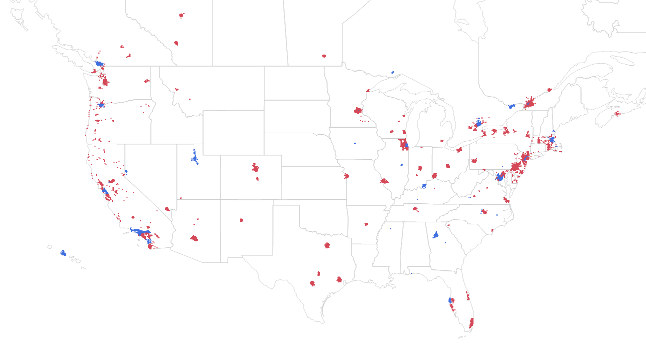 |
In red: stops with next bus and train times based on schedule, in blue: based on real-time data. All in all - 650,000 stops, and growing. |
Try it out
Below a few examples of TransiCast calls:
| Next train times Caltrain at Millbrae Station |
| Next train times BART at Embarcadero Station |
| Route List of SFMTA (San Francisco) |
| Route details of CTA (Chicago) route 28 |
| Agency List, sorted by distance from lat/lon 41.727122, -87.55947 (near Chicago) |
| Service Messages for CTA… More examples on the Metros page. |
Production setup
Sign-up to a production plan includes the:
- Setup and maintenance of a dedicated and exclusive instance of the TransiCast web server on Google App Engine.
- Provision of a dedicated and exclusive application ID for client side calls
- Performance of monthly updates of the base data (stops, routes) as provided by the original source (transit agencies)
- Expansion of the data scope and new features into the dedicated and exclusive instance at no additional cost as they go online
- Assistance in setting up the required licensing agreements with the data providers
Contact
By email
| © 2011 - 2023 TransiCast |